Why Social Media Scheduling Matters for Your Online Business
Content scheduling tools help you plan, create, and automatically publish social media posts across multiple platforms from one central dashboard. Instead of logging in and out of different apps throughout the day, you schedule everything in advance and let the software handle posting at optimal times.
Top Content Scheduling Tools at a Glance:
| Tool | Best For | Starting Price | Key Feature |
|---|---|---|---|
| SocialBee | Overall best option | $29/month | AI content generation |
| Pallyy | Visual content creators | $15/month | Instagram feed planner |
| Buffer | Budget-conscious users | $6/month | Simple interface |
| Sendible | Marketing agencies | $29/month | Client dashboards |
| Hootsuite | Large businesses | $99/month | Enterprise features |
If you’re trying to build an online business or create content for passive income, you already know the struggle. Posting consistently across Instagram, TikTok, Facebook, LinkedIn, and other platforms eats up hours every single day. You’re stuck switching between apps, trying to remember what to post when, and watching your precious free time disappear.
Here’s the good news: scheduling your content doesn’t hurt your engagement or reach. Studies from companies like Agorapulse and CinchShare confirm that scheduled posts perform just as well as posts published manually. Your followers can’t tell the difference, and platform algorithms don’t penalize you.
The right scheduling tool lets you batch-create content when you have time, then automatically publish it throughout the week. You can spend Sunday afternoon scheduling your entire week, then focus on income-generating activities instead of babysitting social media apps.
With over 18 major tools on the market—from budget-friendly options like Buffer to enterprise solutions like Hootsuite—finding the right fit depends on your specific needs, budget, and business goals.
Why Use a Content Scheduler? Streamlining Your Digital Workflow
In the world of online business and digital entrepreneurship, time is our most valuable asset. That’s why we at Money on the Weekend are always looking for ways to maximize efficiency and streamline workflows. Content scheduling tools are a game-changer for anyone looking to maintain a consistent and impactful social media presence without being chained to their devices.

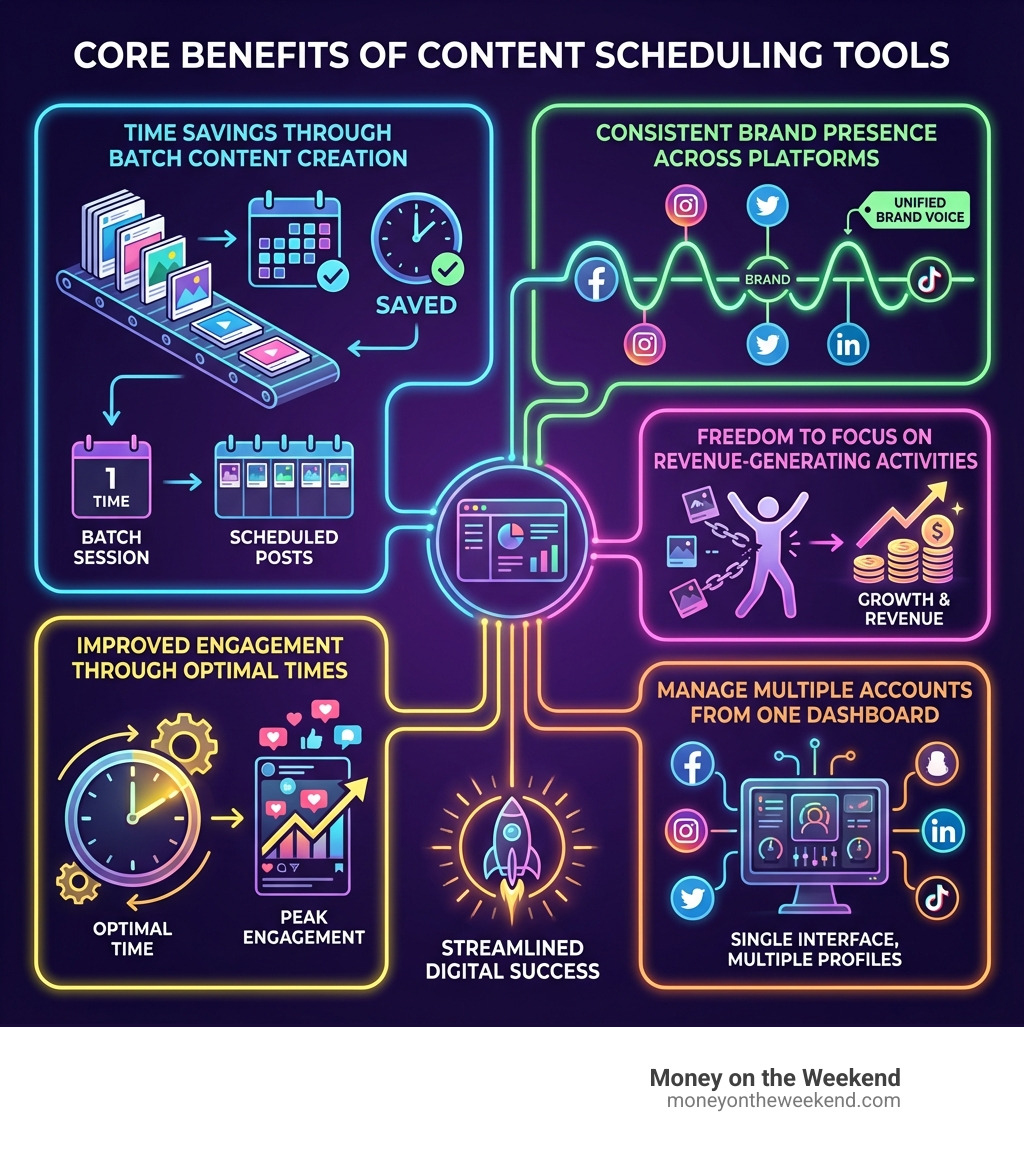
Consistent Brand Presence: Imagine never missing a beat on social media. With a content scheduler, you can plan your posts weeks or even months in advance. This ensures a steady flow of content, which is crucial for building and maintaining a strong brand presence. Your audience comes to expect your content, fostering loyalty and engagement.
Efficiency and Batch Processing: One of the biggest time-saving benefits comes from the ability to batch-create content. Instead of crafting a post daily, you can dedicate a few hours once a week to creating all your content, then schedule it to go out automatically. This frees up significant time for other income-generating activities or even, dare we say, a relaxing weekend! As the research highlights, managing content and publishing for all your accounts from one dashboard saves time and helps you stay on track easily.
Impact on Engagement and Reach: A common concern we hear is whether scheduled posts are seen less or receive lower engagement. We can confidently debunk this myth! According to tests run by Agorapulse and statements from CinchShare, scheduled posts do not negatively affect views or engagement rates compared to posting directly. The algorithms treat them the same. This means you can enjoy the efficiency of scheduling without sacrificing your reach or audience interaction.
Strategic Content Planning: Scheduling tools often come with visual calendars, allowing you to see your entire content strategy at a glance. This helps us ensure a balanced mix of promotional, educational, and entertaining content. Some tools even offer “best time to post” suggestions based on your audience’s activity, further optimizing your reach. This strategic oversight helps us align our social media efforts with our broader Content Creation goals.
By centralizing your social media efforts, you gain control, consistency, and precious time, all while boosting your brand’s digital footprint.
Key Features to Look For in the Best Content Scheduling Tools
When we’re evaluating content scheduling tools, we look for a suite of features that not only save time but also improve our content strategy and overall efficiency. Here’s a rundown of the essential capabilities that make a scheduling tool truly effective:
-
Comprehensive Platform Support: A top-tier tool should support all the major social media platforms you use, including Facebook, Instagram, X (formerly Twitter), LinkedIn, TikTok, YouTube, Pinterest, and even newer platforms like Threads or Bluesky. This ensures you can manage your entire social presence from one place. Some advanced tools can even handle specific content types like Instagram Reels, Stories, and carousels, allowing for nuanced multi-platform publishing.
-
Visual Planner & Calendar: An intuitive visual calendar is a must-have. It allows us to drag-and-drop media, plan our feed aesthetically (especially for Instagram), and see our scheduled posts at a glance. Pallyy, for example, is praised for its visual calendar and feed planner, making it easy to ensure a cohesive look.
-
Bulk Scheduling & Uploads: For maximum efficiency, the ability to upload and schedule multiple posts at once is invaluable. This feature allows us to prepare a large volume of content and schedule it quickly, saving hours of manual entry.
-
Analytics & Reporting: Understanding how our content performs is crucial for growth. Look for tools that offer robust analytics, providing insights into engagement, reach, follower growth, and even optimal posting times. Hootsuite and Sprout Social are known for their comprehensive reporting capabilities, helping us connect social media performance to business outcomes.
-
Team Collaboration & Approval Workflows: For teams, these features are essential. They allow multiple users to work on content, assign tasks, leave comments, and ensure all posts are approved before publishing. This streamlines the content creation process and maintains brand consistency, especially important for agencies managing multiple client accounts.
-
AI Content Generation & Assistance: The role of AI in modern content scheduling tools is rapidly expanding. AI can help generate captions, suggest relevant hashtags, and even create entire social media strategies. SocialBee’s AI Copilot, for instance, is a game-changer for content generation, saving significant time and boosting creativity. Viraly’s AI generator also helps in writing captions efficiently.
-
Content Curation: Running out of content ideas? Tools with content curation features can help you find trending topics, relevant articles, and viral content to share. ContentStudio and Post Planner are noted for their excellent content curation capabilities, helping us fill our content calendar with engaging material.
-
Post Recycling & Evergreen Content Queues: This smart feature allows you to reuse high-performing evergreen content by automatically re-scheduling it at optimal intervals. This ensures your valuable content continues to reach new audiences without constant manual effort. Publer and SocialBee are great examples of tools offering this.
-
Link in Bio Tool: Many content scheduling tools now integrate a link-in-bio feature, which is particularly useful for Instagram. This allows us to direct followers to multiple links from a single clickable link in our bio. If you want to dive deeper into how these work, you can explore this overview of Instagram bio link tools.
By prioritizing these key features, we can select a content scheduling tool that truly empowers our online business and helps us achieve financial freedom through efficient content management.
A Comparison of Content Scheduling Solutions from Money on the Weekend
Choosing the right content scheduling tool can feel like finding a needle in a haystack, especially with so many excellent options available. We’ve sifted through the market leaders to highlight tools that cater to different needs, from solopreneurs to large agencies.
Money on the Weekend Scheduler: Best for Entrepreneurs and Small Businesses
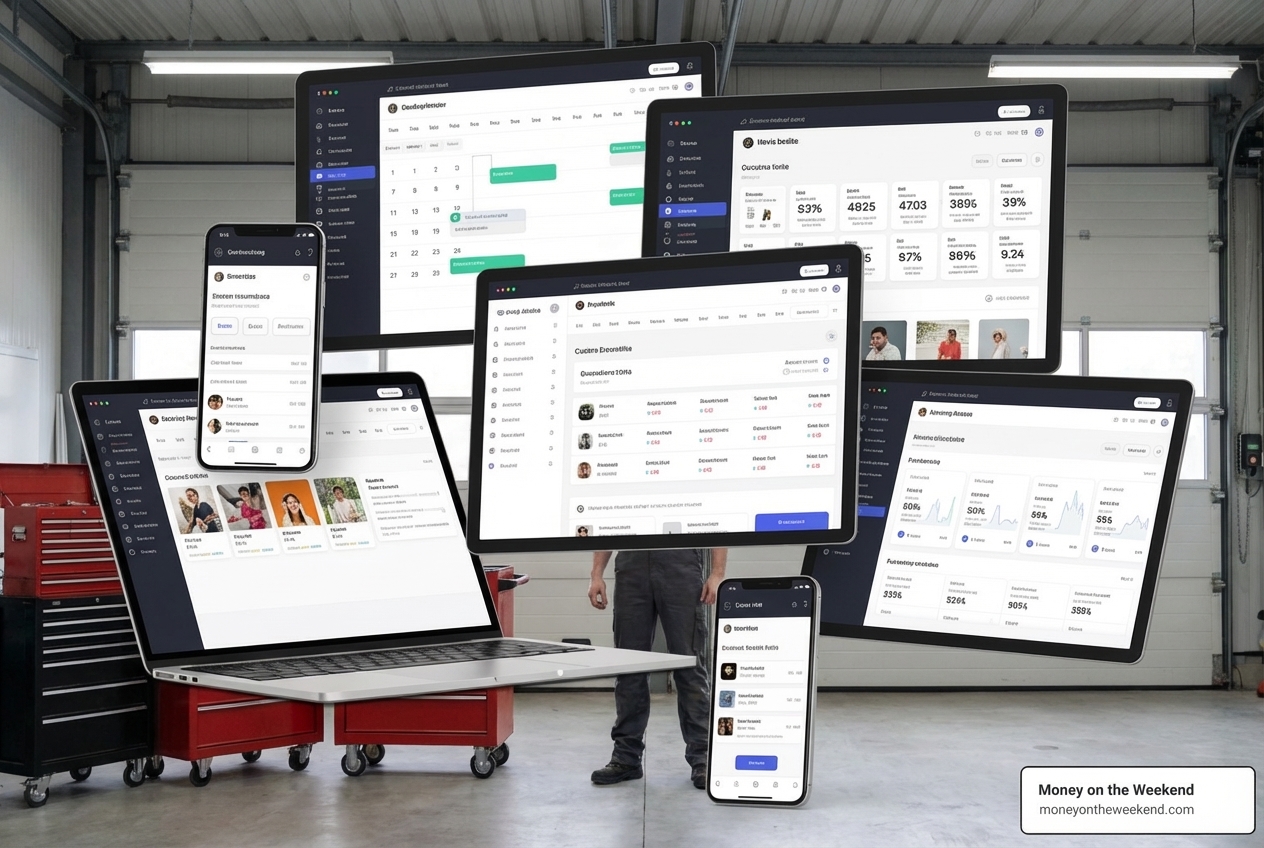
For entrepreneurs and small businesses focused on generating online income, we prioritize tools that offer a blend of affordability, powerful automation, and smart content management. SocialBee stands out as an overall top choice that perfectly aligns with these needs.
- AI-powered Scheduling: SocialBee’s AI features, including its AI Copilot, are a significant advantage. This AI can help generate an entire social media strategy, craft captions, and even suggest content categories, making content creation much faster and smarter. It’s a true game-changer for streamlining our workflow.
- Content Categories & Post Recycling: This tool allows us to organize content into categories, ensuring a balanced mix of evergreen and time-sensitive posts. Its post recycling feature automatically re-shares evergreen content, keeping our feeds active without constant manual input.
- Pros: Excellent AI capabilities, robust content organization, post recycling for evergreen content, supports many platforms including newer ones like Bluesky and Threads, strong analytics.
- Cons: Some users might find the initial setup a bit overwhelming due to the depth of features.
- Pricing: Plans start from $29/month, offering excellent value for its comprehensive feature set.
- Best for: Solopreneurs, content creators, and small businesses who need advanced automation and AI assistance to manage a consistent social media presence efficiently.
Visual Content Scheduling: Best for Creators and Visual Brands
If your brand thrives on visual platforms like Instagram and TikTok, you need a tool that prioritizes visual planning and aesthetic control. Pallyy is our top pick for visual content creators.
- Visual Planner & Feed Aesthetic: Pallyy’s intuitive visual calendar and Feed Planner allow us to drag and drop media to perfectly plan our Instagram grid. This ensures a cohesive and appealing aesthetic, which is vital for visual brands.
- Instagram and TikTok Focus: It offers deep integration with Instagram, including features like scheduling first comments (to hide hashtags) and robust analytics custom for visual content. It also supports TikTok scheduling.
- Analytics & Link in Bio: Pallyy provides insightful analytics to track visual content performance and includes a built-in link-in-bio tool, making it easy to direct followers to your most important links.
- Pros: Extremely user-friendly interface, excellent visual planning capabilities, great for Instagram and TikTok, affordable, includes a free option.
- Cons: May not have the same breadth of advanced features for non-visual platforms compared to all-in-one tools.
- Pricing: Premium plans start from $15/month per social set, making it a budget-friendly option for creators.
- Best for: Content creators, influencers, and small businesses where visual appeal and Instagram/TikTok presence are paramount.
Agency & Team Scheduling: The All-in-One for Agencies
Agencies and marketing teams require tools that can handle multiple clients, offer robust collaboration features, and provide detailed reporting. Sendible emerges as a powerful all-in-one solution for these needs.
- Client Dashboards & White-labeling: Sendible allows agencies to create separate dashboards for each client and even offers white-labeling, so the platform appears as their own software. This professionalism is a huge advantage.
- Smart Queues & Content Suggestions: Its Smart Queues automate the scheduling process, while content suggestion tools help keep the pipeline full.
- Team Collaboration: With advanced approval workflows and team management features, Sendible ensures smooth communication and content sign-off across teams and clients.
- Pros: Highly scalable for agencies, white-labeling option, comprehensive features for client management, excellent collaboration tools, strong content curation.
- Cons: Can be more complex for individual users due to its agency-focused features.
- Pricing: Plans start at $29/month, offering competitive pricing for its agency-grade capabilities.
- Best for: Marketing agencies, social media managers handling multiple clients, and large marketing teams requiring advanced collaboration and reporting.
Simple Starter Tools: Affordable and User-Friendly
For those just starting out or working with a tight budget, simplicity and affordability are key. Buffer shines as an excellent choice for beginners and budget-conscious users.
- Intuitive Interface: Buffer is renowned for its clean, straightforward, and user-friendly interface. It’s incredibly easy to pick up and start scheduling, making it perfect for those new to content scheduling tools.
- Free Plan Options: Buffer offers a generous free plan, allowing users to connect a few social accounts and schedule a limited number of posts. This is a fantastic way to get started without any financial commitment.
- Affordable Paid Plans: Its paid plans are significantly cheaper than many competitors, providing a great balance of features for the price.
- Pros: Easy to use, great free plan, very affordable paid plans, supports most major platforms, reliable scheduling.
- Cons: Analytics are not as deep as more expensive platforms, and advanced features like AI content generation or extensive content curation are limited. Support could be better according to some reviews.
- Pricing: Paid plans start at a very affordable $6/month, making it one of the most budget-friendly options.
- Best for: Solopreneurs, small businesses, and individuals who need a simple, reliable, and affordable way to schedule social media content.
Enterprise-Level Solutions: Advanced Features for Large Businesses
Large businesses and enterprises have complex needs, including extensive team management, deep analytics, and advanced AI capabilities. Hootsuite is a long-standing leader in this space, offering a robust platform designed for scale.
- AI Integration (OwlyGPT): Hootsuite’s OwlyGPT is an all-new AI assistant trained on real-time social trends. It helps generate content, analyze performance, and build campaigns based on current online happenings, providing a significant edge for large-scale operations.
- Advanced Analytics & ROI Tracking: Hootsuite excels in demonstrating social media ROI. It offers comprehensive analytics, performance tracking against competitors, and personalized suggestions to boost engagement and revenue. The research highlights 80% workload reduction with chatbots and 500% growth for enterprises using Hootsuite.
- Team Management & Integrations: With 17 years of experience and over 25 million users, Hootsuite offers extensive team collaboration features, approval workflows, and boasts the largest library of integrations (over 100), connecting seamlessly with existing tools.
- Pros: Extremely powerful and comprehensive, robust AI features, deep analytics and reporting, excellent for team collaboration and large organizations, wide range of integrations.
- Cons: High price point, can be overwhelming for smaller users due to its extensive features. Some past controversies have affected trust.
- Pricing: Plans start at $99/month, reflecting its advanced capabilities and suitability for larger enterprises.
- Best for: Large corporations, enterprises, and organizations with complex social media strategies, significant budgets, and large teams.
Finding the Right Tool for Your Online Business
Choosing the perfect content scheduling tool is less about finding the “best” overall and more about finding the “best fit” for your unique needs. We encourage you to consider your specific goals, budget, and team structure.
For Solopreneurs and Small Businesses
If you’re a solopreneur or running a small business, your focus is likely on maximizing value, affordability, and ease of use. You need a tool that can handle multiple platforms without breaking the bank or requiring a steep learning curve.
- What to Look For: Prioritize tools with strong automation (like post recycling), AI assistance for content creation, and a clear, intuitive interface. A generous free plan or affordable starting price is also key.
- Our Recommendation: Tools like SocialBee (for advanced AI and automation) or Buffer (for simplicity and affordability) are excellent choices. They allow you to manage your social media efficiently, freeing up time to focus on core business activities and building your Affiliate Marketing Passive Income.
For Visual Content Creators
Visual content creators, such as those focusing on Instagram and TikTok, have specific needs related to aesthetics and platform-specific features.
- What to Look For: A visual planner or grid view is essential to curate your feed’s look. Strong integrations with Instagram (including Reels and Stories scheduling) and TikTok are crucial. Also, consider tools with built-in link-in-bio features and robust visual analytics.
- Our Recommendation: Pallyy is ideal for its visual planning and strong Instagram integration. Later is another strong contender known for its visual planning and TikTok capabilities. These tools help you present your best visual content and grow your audience, much like optimizing your YouTube Channel Guide for success.
For Agencies and Marketing Teams
Agencies and marketing teams manage multiple clients and often have larger teams, requiring robust collaboration, client management, and reporting features.
- What to Look For: Scalability, client dashboards, white-labeling options, advanced approval workflows, and comprehensive analytics are paramount. The ability to manage multiple workspaces and users effectively is also critical.
- Our Recommendation: Sendible is an excellent choice for its agency-focused features and scalability. For even larger, enterprise-level needs, Hootsuite offers unparalleled depth in analytics, AI, and integrations.
Frequently Asked Questions about Content Schedulers
We often get questions about the practicalities and effectiveness of content scheduling tools. Here are some of the most common ones:
Do scheduled posts get less engagement?
Absolutely not! This is a persistent myth we love to debunk. Extensive tests by companies like Agorapulse and CinchShare have shown that there is no measurable difference in engagement rates or post views between content published directly through social media apps and content published via a third-party scheduler. Social media platforms’ APIs (Application Programming Interfaces) allow these tools to interact directly with the platforms, ensuring that scheduled posts are treated just like native ones. So, you can schedule your heart out without worrying about being penalized by the algorithm!
Are there good free content scheduling tools?
Yes, definitely! Many excellent content scheduling tools offer free plans or generous free trials, making them accessible even on a shoestring budget. Tools like Buffer and Viraly, for instance, offer solid free plans that allow you to connect a few social media profiles and schedule a limited number of posts per month. These freemium models are perfect for individuals or very small businesses just starting their social media journey, allowing you to test the waters before committing to a paid subscription. Loomly also offers a free trial without requiring a credit card, which is a great way to explore its features.
What is the difference between a dedicated scheduler and an all-in-one platform?
The main difference lies in the scope of features and functionality.
-
Dedicated Schedulers: These tools primarily focus on the core task of scheduling and publishing content. They excel at planning, drafting, and automating your posts across various social media platforms. They might offer basic analytics and content calendars but generally don’t venture into other areas of social media management. Examples include some of the simpler plans from Buffer or Pallyy.
-
All-in-One Platforms: These are comprehensive social media management suites that integrate scheduling with a much broader range of tools. Beyond publishing, they typically include features like:
- Social Listening: Monitoring mentions, keywords, and trends.
- Unified Inbox: Managing all your social media messages and comments from one place.
- Advanced Analytics & Reporting: Deep insights into performance, competitor analysis, and ROI tracking.
- Team Collaboration: Complex approval workflows and user roles.
- CRM Integration: Connecting social interactions with customer relationship management.
Tools like Hootsuite, Sprout Social, and Sendible are prime examples of all-in-one platforms designed for more complex social media strategies and larger teams. While dedicated schedulers are great for focused publishing, all-in-one platforms provide a holistic solution for managing your entire social media presence.
Conclusion: Reclaim Your Time and Grow Your Brand
In the journey toward financial freedom and successful online entrepreneurship, efficient time management is paramount. Content scheduling tools are not just a convenience; they are a strategic asset that empowers us to maintain a consistent, engaging, and professional social media presence without sacrificing countless hours.
By understanding the diverse range of features, pricing models, and target audiences for these tools, we can make an informed decision that aligns perfectly with our individual needs and business goals. Whether you’re a solopreneur seeking smart automation, a visual creator curating a stunning feed, or an agency managing multiple clients, there’s a perfect content scheduler waiting for you.
Accept the power of automation, streamline your digital workflow, and reclaim your precious time. This allows you to focus on the core activities that truly drive your business forward, ultimately paving the way for the financial freedom Money on the Weekend advocates.
Start your content creation journey with the right tools, and watch your online presence flourish.